
Settings to change on day one
Turn camera shake down, cut skill effect density in group content, confirm auto-target and auto-path behaviour before a dungeon, and set keybinds before your first raid rather than during it.
Six settings decide whether the first dungeon feels readable or chaotic, and every one of them is cheaper to change before the fight than during it. Nexon has not published a settings menu, so this page is built from what the official frames show and from rules that hold across Unreal Engine 5 MMOs. Where it is inference, it says so.
Reading the official frames
Nexon's store listing includes a genuine gameplay frame with the interface visible: hotkey prompts labelled F1, a Tab prompt next to a compass element, an AUTO marker, and Korean text in the objective area. That tells you three things about the build.
| Observation | What it implies |
|---|---|
F1 prompts on screen | The PC build expects keyboard shortcuts |
Tab mapped to a view element | There is a HUD toggle worth knowing |
AUTO marker present | Some automation exists, at minimum auto-pathing or auto-target |
| Objective text in Korean | The interface language is Korean in the build shown |
None of that is a settings list. It is evidence about which settings will exist, which is enough to plan the order you change them in.
The six changes, in order
- Camera shake to low or off. Combat in this genre is built on hit feedback, and shake is the first thing that makes a boss mechanic unreadable.
- Skill effect density down. Group content stacks effects from four or more players. On a mid-range machine, density is frame rate and clarity at the same time.
- Confirm auto-target behaviour. Turn it off for melee classes and on for ranged, then check it in a low-stakes fight. An auto-target that selects the wrong add is worse than no auto-target.
- Decide auto-path and auto-quest behaviour. Useful in a launch queue, dangerous in a dungeon. Know the toggle before an emergency.
- Set keybinds. If
F1is a skill shortcut, map the skills you use most to keys your hand rests on, and move the menu keys away from combat keys. - Set UI scale. On a 1440p monitor the mobile-derived HUD can be small; on a phone, the reverse. Scale once and stop fiddling.
PC versus mobile, expected differences
| Setting | PC through Play Games | Phone or tablet |
|---|---|---|
| Input | Keyboard and mouse, hotkeys visible | Touch, on-screen buttons |
| Camera | Wider field of view expected | Tighter, gesture-driven |
| Effect density | The main performance lever | Often fixed low |
| Auto features | Toggleable, easy to test | Default-on in some builds |
| Text size | Scale up, do not lower resolution | Scale down in group content |
Those are expectations, not published facts. Test each on day one; the menu will answer in a minute what a guide cannot answer at all.
Performance quick fixes that cost nothing
| Symptom | First change | Second change |
|---|---|---|
| Frame drops in town | Shadows and effect density | UI scale, not resolution |
| Stutter when groups form | Turn off overlays | Cap frame rate |
| Blurry text at 1440p | UI scale up | Disable any render scale below 100% |
| Controller not detected | Check the input mode in the launcher | Try a wired connection |
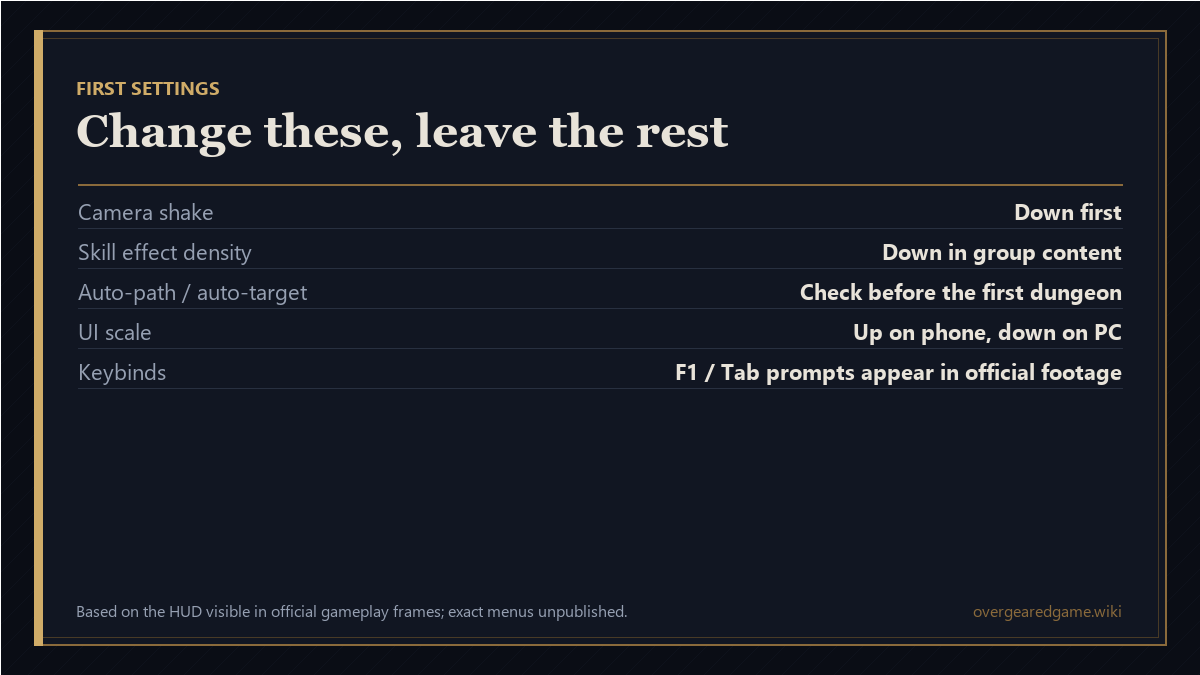
Built from the HUD visible in official gameplay frames; the exact menu names are unpublished.
Why this order, and not another
Camera and effects come first because they change what you can see, and seeing is the skill this genre tests. Auto-features come second because they change what the game does for you, which is a decision rather than a preference. Keybinds come third because muscle memory takes a few hours to form, and forming it twice is a waste.
The one setting people change too early is resolution. Dropping to 1080p on a 1440p panel makes text worse and rarely fixes a frame rate that effects density would fix. Change the cheap lever first.
Gaps in the record
Whether the game ships with an English interface, whether settings are per character or per account, whether keybinds are exportable, and whether the PC build supports controllers. Each is a question the first hour will answer.
Related: the install guide covers the PC path, and the language page explains what the Korean interface means for an English player.
Mobile versus PC: what to fix first on each
The same game on two devices asks for two different first fixes, because the constraints are opposite.
| Device | First fix | Why | Leave alone |
|---|---|---|---|
| Phone | UI scale and touch button size | A gear menu built for a 6-inch screen is dense | Shadows, which are already capped |
| Tablet | Camera distance | More screen means a wider view is readable | Effect density |
| PC through Play Games | Keybinds and effect density | Keyboard input plus group effects is the bottleneck | Touch layout |
On a phone, change the layout before the graphics. Text you cannot read turns every menu into a guessing game, and no frame rate fixes that. On a PC, change the graphics before the layout, because the keyboard removes the readability problem and leaves performance as the limit.
A detail worth checking once: whether settings save per account or per device. If they are per device, a phone and a PC will drift apart, and the second device will feel broken for the first ten minutes until you replicate the settings you already chose.